
Deep dive: understanding live regions, part 1
Posted:
Live regions can be one of the more confusing areas of accessibility. On the surface, they seem simple enough, but in day-to-day practice, they can be inconsistent and often cause confusion for developers implementing them.
In this three-part deep dive, I'll explore how live regions help keep screen reader users informed of dynamic content changes, how to create and configure them, and the common problems and questions that crop up when working with them.
Screen readers and dynamic content
To understand the problem live regions solve, let's imagine two people trying to buy a train ticket online. One is sighted. The other is blind and uses a screen reader.
After the user has searched for a ticket, the page updates dynamically and displays the results of the search.
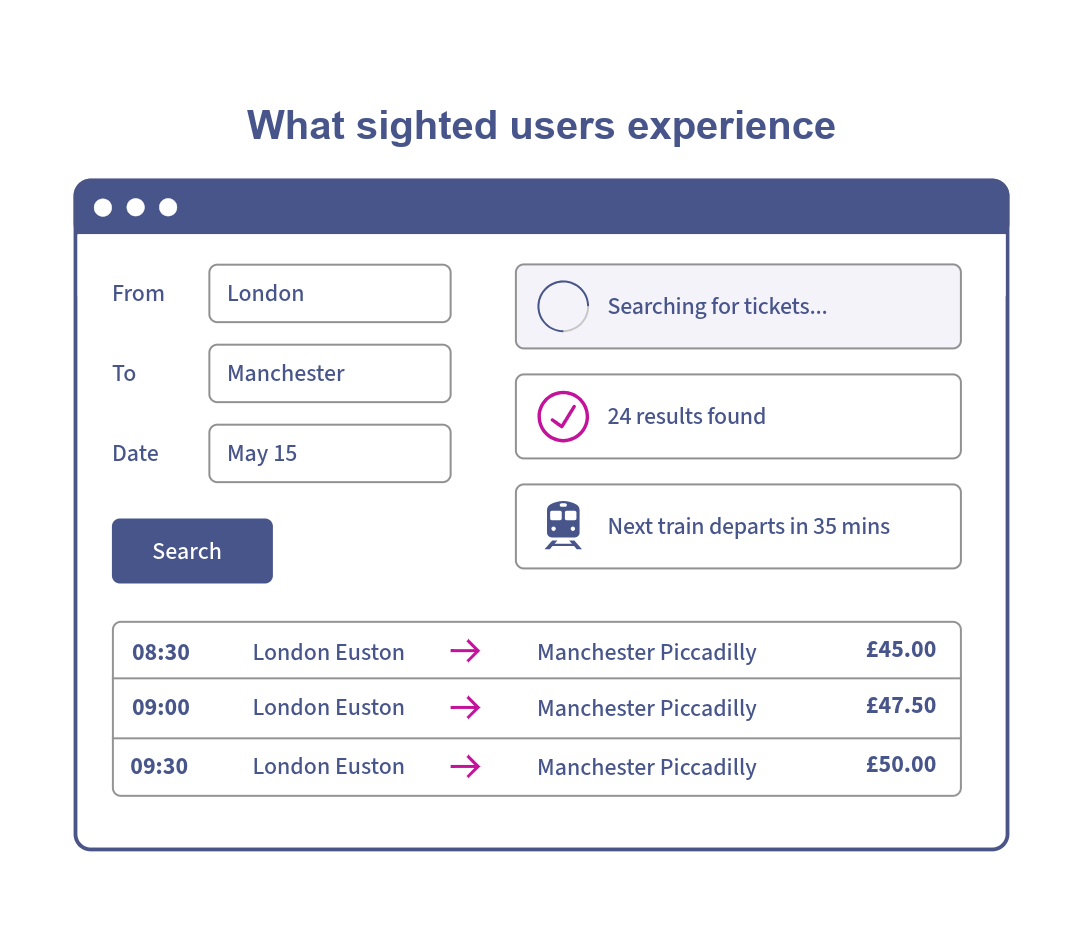
Sighted user experience
The sighted user would immediately see that the search has completed. The loading message disappears, the results appear, and they can continue choosing a ticket.
Screen reader user experience
The screen reader user receives no indication that anything has changed. Although the results have appeared on the page, the update isn't announced and they remain focused on the search button.
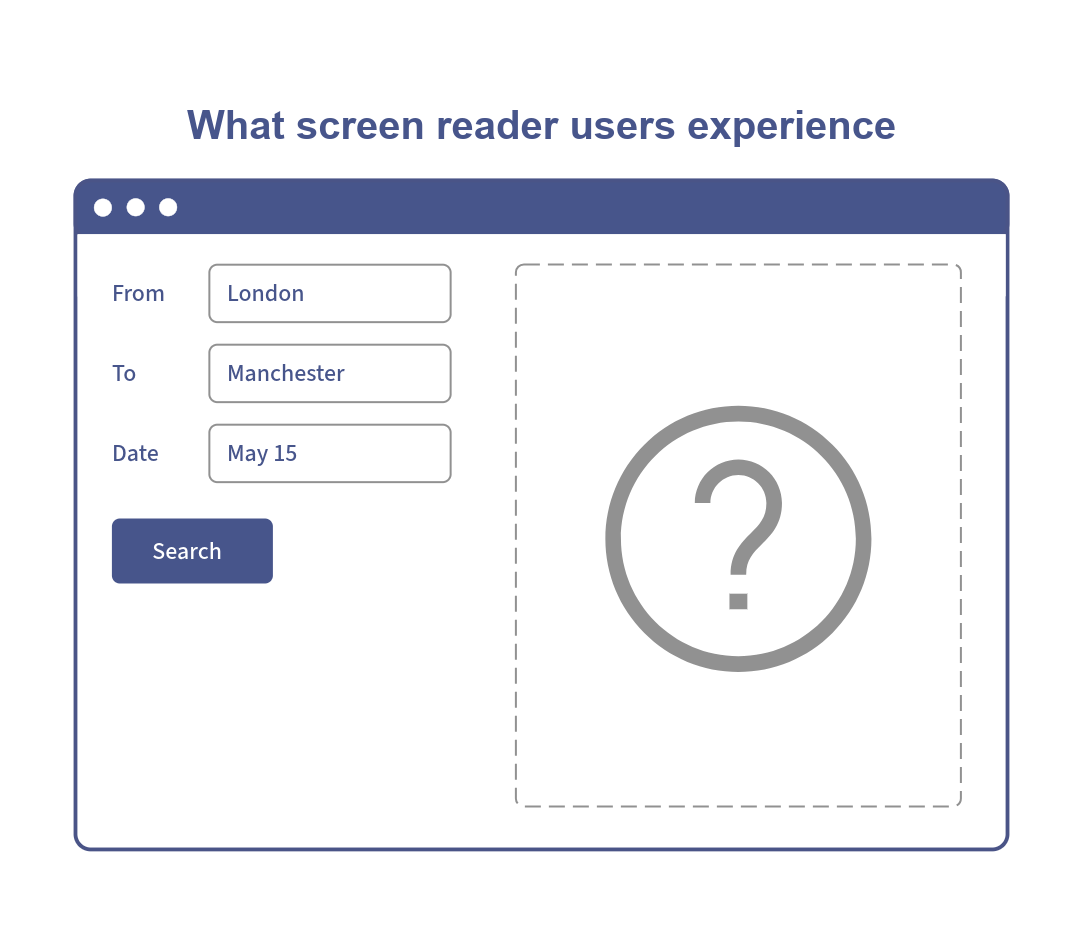
Now imagine you were that person. You search for a train ticket. You choose a destination, pick a date and press search.
Nothing seems to happen.
A few seconds pass...
You ask yourself:
- Did the search start?
- Are the results loading?
- Has an error occurred?
- Should you press the search button again?
You begin exploring the page, moving through the content line by line looking for clues. Eventually you may discover that the search completed successfully and the results have been there all along.
It's frustrating, time consuming and reduces confidence in the site.
This situation is common for screen reader users. The page may have updated dynamically, displaying loading messages, validation errors or search results, but if those updates aren't communicated to screen readers, users may not realise anything has changed.
Dynamic versus static content
Traditional static webpages reload the whole page rather than dynamically updating sections of content. When a new page is loaded, the content remains static. Screen reader users can explore the page with the confidence that nothing will change.
Modern websites and applications behave differently. Sections of content are updated dynamically, without page reloads:
- Search results update
- Shopping baskets update
- Form validation errors appear
- Chat messages appear
- Notifications appear
Very often, this is all done without notifying screen readers of content changes.
Understanding how screen readers announce content
To understand why dynamic content can create accessibility barriers, it helps to understand how screen readers present information.
Screen readers linearise content, presenting it as a sequence of individual items rather than a complete visual layout. Unlike sighted users, who can often see large areas of a page at once, screen reader users typically experience content one item at a time as they navigate and interact with the page.
This becomes a problem when content updates dynamically outside the user's current focus. A loading message may appear, search results may be displayed, or a validation error may be shown, but unless those changes are communicated to the screen reader, they could go unnoticed.
As a result, users may not realise that content has changed, that an action has completed successfully, or that something has gone wrong. They're left searching the page for clues, trying to work out whether anything happened at all.
Enter live regions
Live regions are parts of a web page that update dynamically in response to user actions or external events. When text content changes within a live region, screen readers will announce those updates without requiring keyboard focus to move or the page to reload.
You can think of live regions as a notification system for screen readers, allowing important updates to be communicated without interrupting the user's current task.
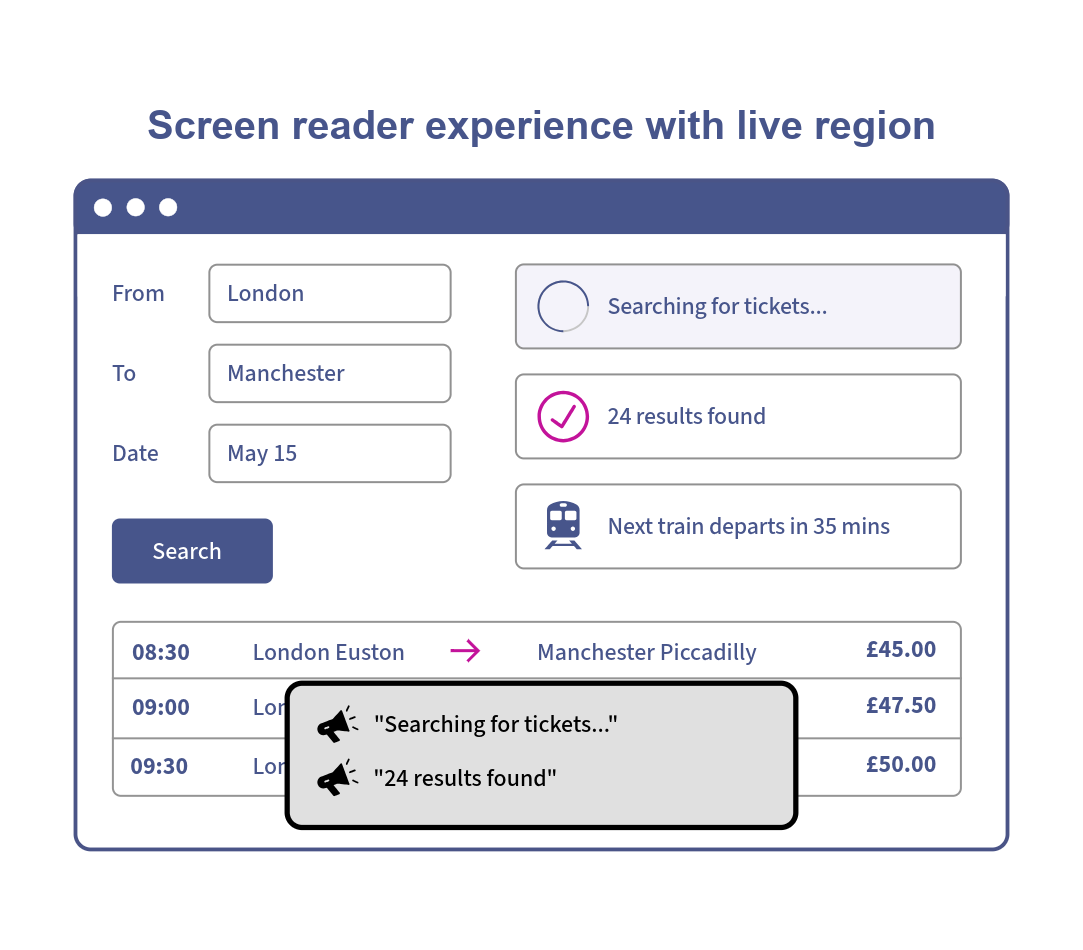
Going back to our train ticket example. If we introduced a live region that communicated "Searching for ticket" for the search state and "24 result found" when the result loaded, our screen reader user would be kept informed and not left guessing.
How live regions work
When a browser encounters an element marked as a live region, either via the aria-live attribute or via certain ARIA roles such as status or alert, it exposes that information in the accessibility tree. If the content inside the region changes, the browser sends events through the platform accessibility API. Screen readers listen for those events and announce the updated content to the user.
Put simply, when text is inserted or changed within a live region, screen readers should announce that text to users.
When to use live regions
Live regions are most effective when used to communicate short status updates and important messages that users might otherwise miss. The goal isn't to announce every new piece of content on the page. It's to ensure users receive important information that would otherwise go unnoticed.
Before adding a live region, consider whether the information is already communicated through focus changes, page navigation, or existing semantics.
Live regions generally aren't needed when:
- Content already receives keyboard focus, as this will usually be announced automatically.
- Content is available on page load and can be discovered through normal navigation.
- State can be communicated through existing ARIA attributes. For example, a disclosure button that expands content should use
aria-expanded, not a live region. - The update is purely decorative or not important enough to announce.
When deciding whether to use a live region, ask yourself the question: if a screen reader user wasn't informed of this update, would they miss something important? If the answer is yes, a live region may be appropriate. Depending on the scenario, it may also be required to meet WCAG 4.1.3 Status Messages (Level AA).
Next time
In part 2 of this deep dive we'll explore how to create and configure live regions along with considerations around visibility and timing.